

Adaptive Lyrics
Lyrics for every player.
Synced lyrics for whatever is playing on your desktop, in any player — with a translation under every line, romanization, and timing you can fix once. Free for macOS and Windows.
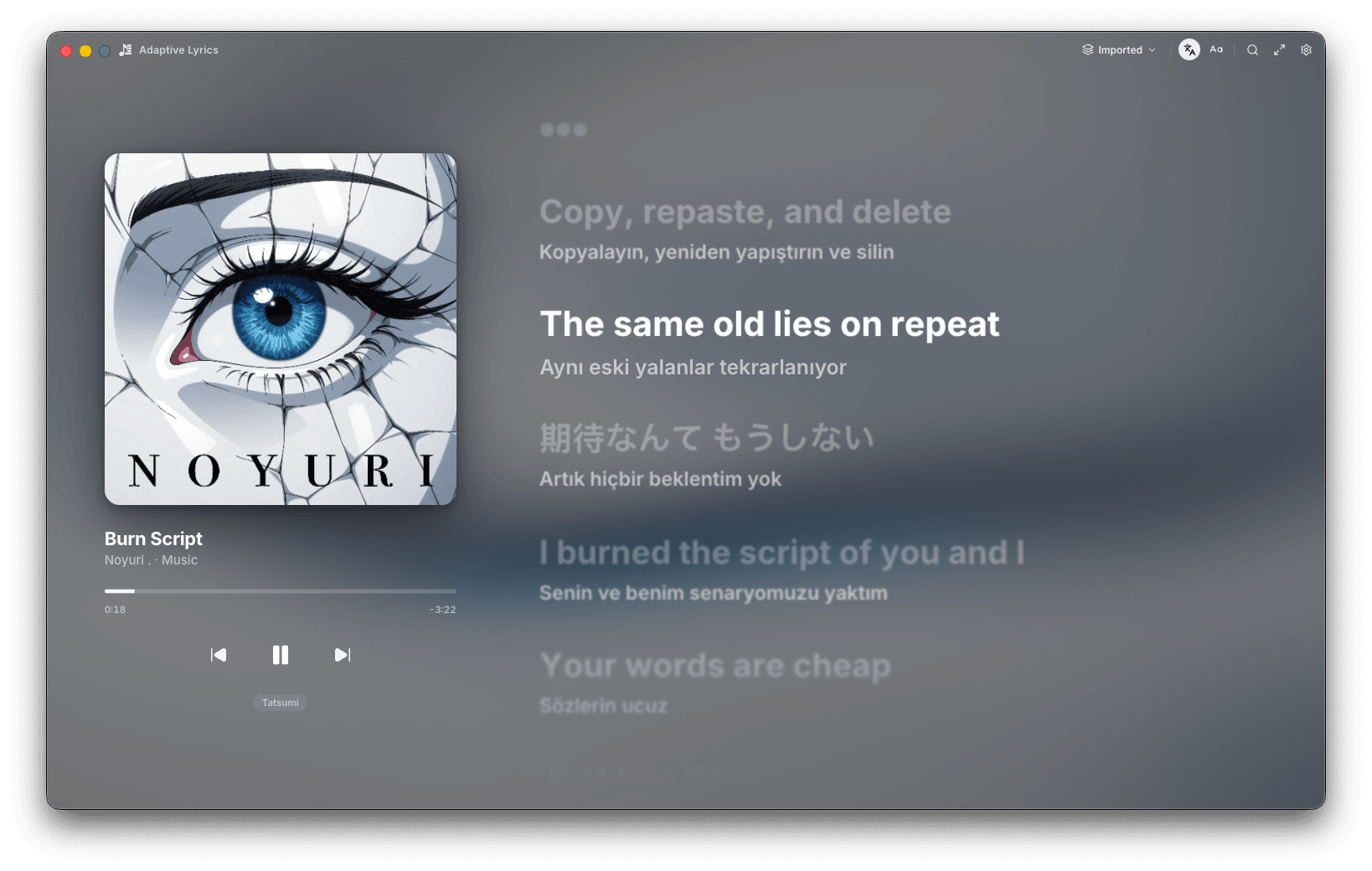
The line you're hearing, lit.
The sung line brightens, its translation sits beneath it, and the lines around it step back.
Whatever is playing. Wherever.
Adaptive Lyrics follows the player you already use, and shows you which one it found.
Play something. It follows.
01 · Now playing
It knows what's playing.
Artwork, title, progress and transport on the left, and the player it came from underneath — here, Tatsumi.
02 · Sources
And where the words came from.
The source picker in the title bar shows which lyrics are on screen. Switch to another, or step into immersive mode.
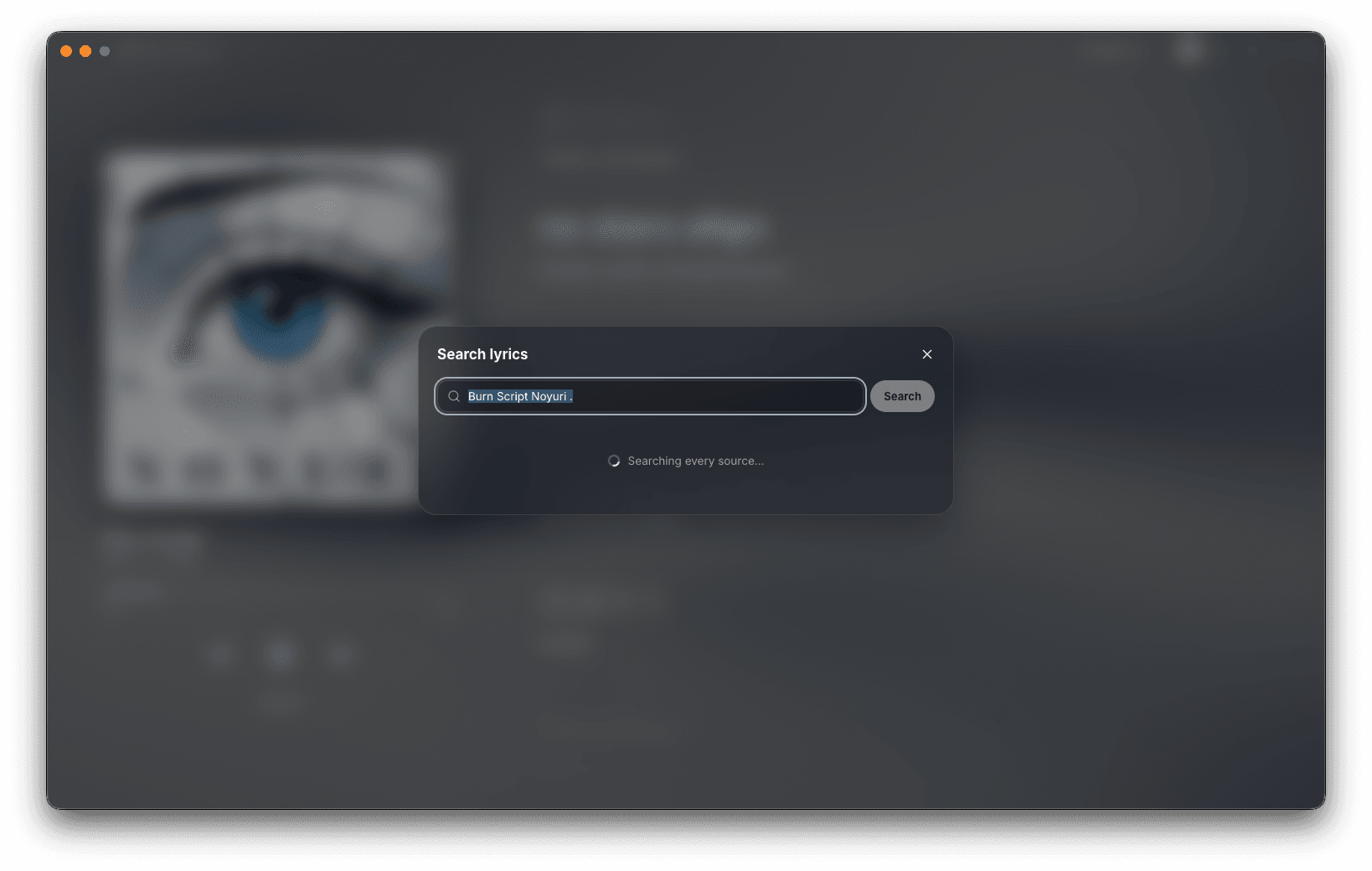
Wrong lyrics? Search every source.
Open search and the playing track is already typed in. Adaptive Lyrics asks every source at once and keeps what it finds in your cached lyrics.
Shape it to the song.
01 · Lyrics
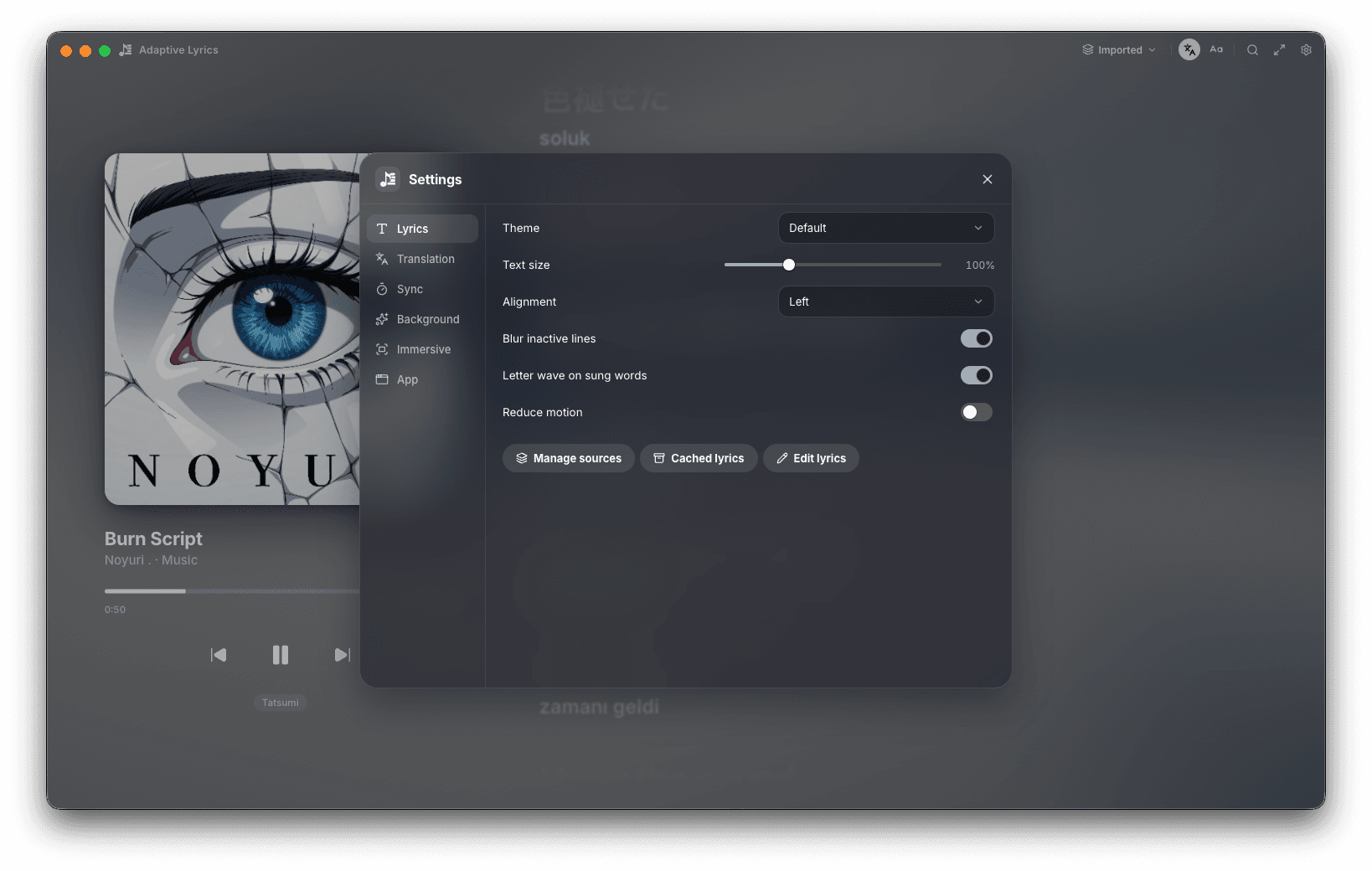
Set how the words move.
Theme, text size and alignment, blur for inactive lines, a letter wave on sung words — or Reduce motion to keep it still.
02 · Translation
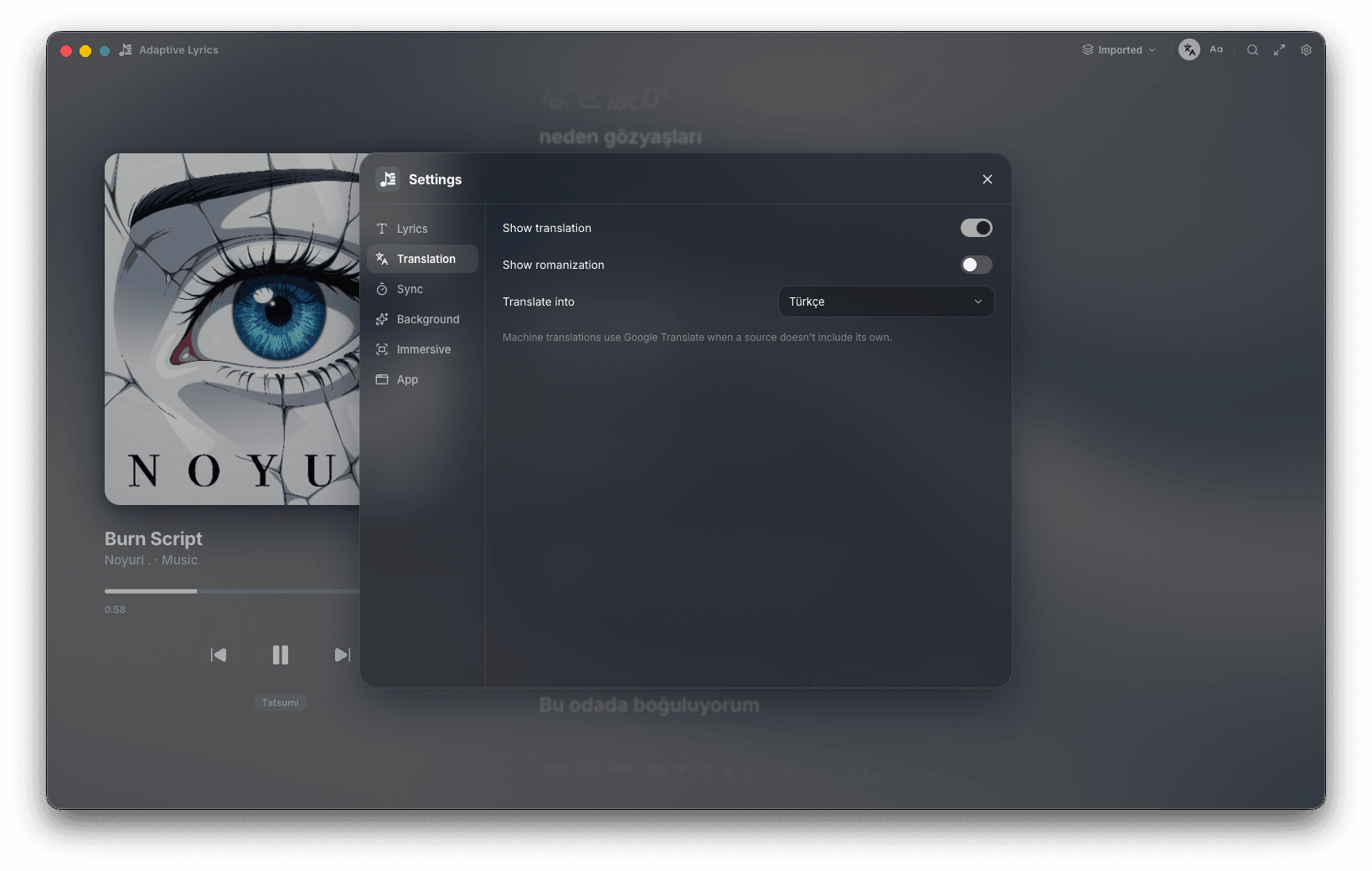
Read it in your language.
Show a translation under every line, add romanization, and pick the language. Machine translation fills in when a source doesn't bring its own.
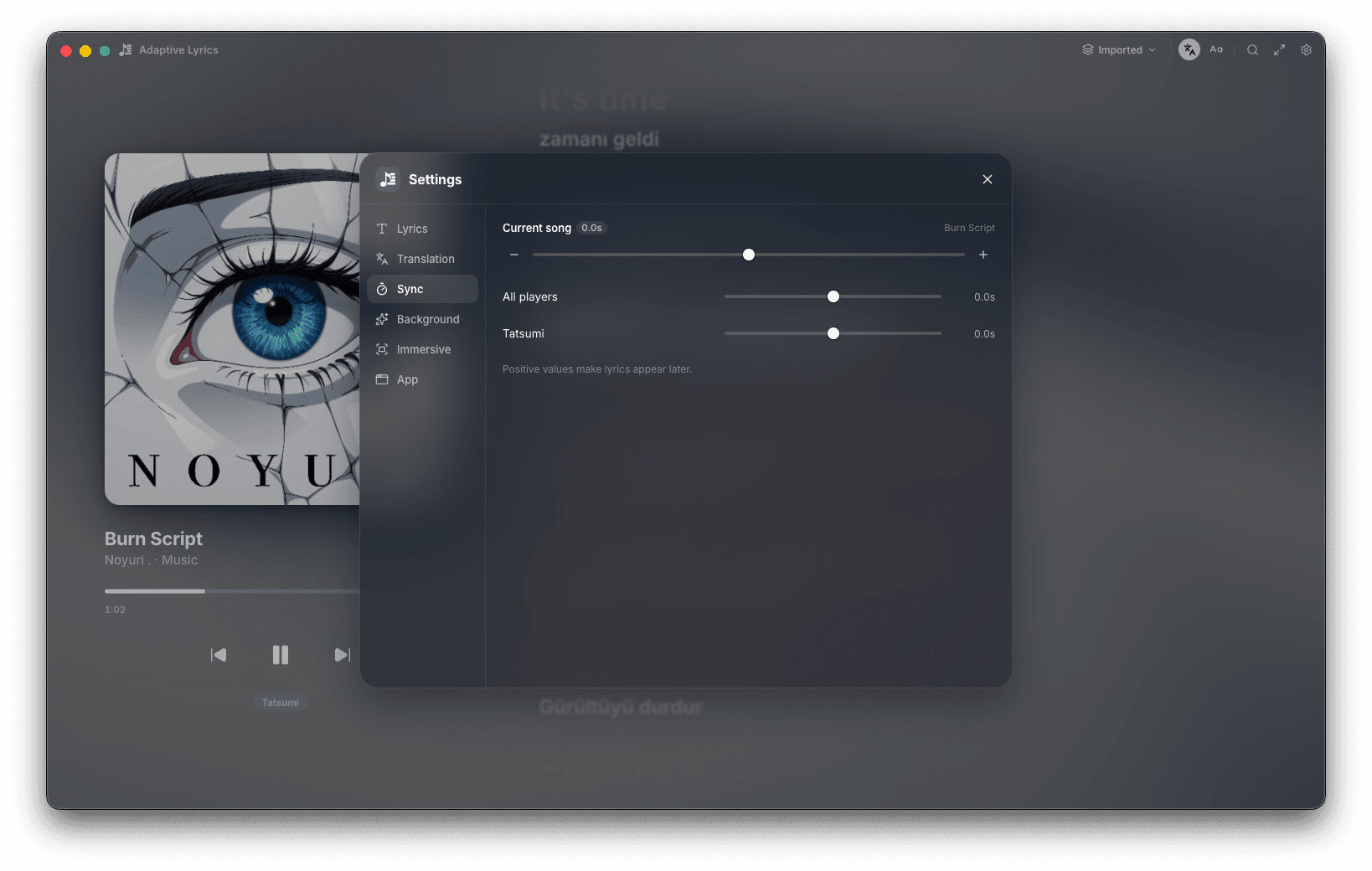
03 · Sync
Nudge the timing. Once.
Offset the current song, every player, or one player on its own — so a player that runs early stays fixed the next time too.
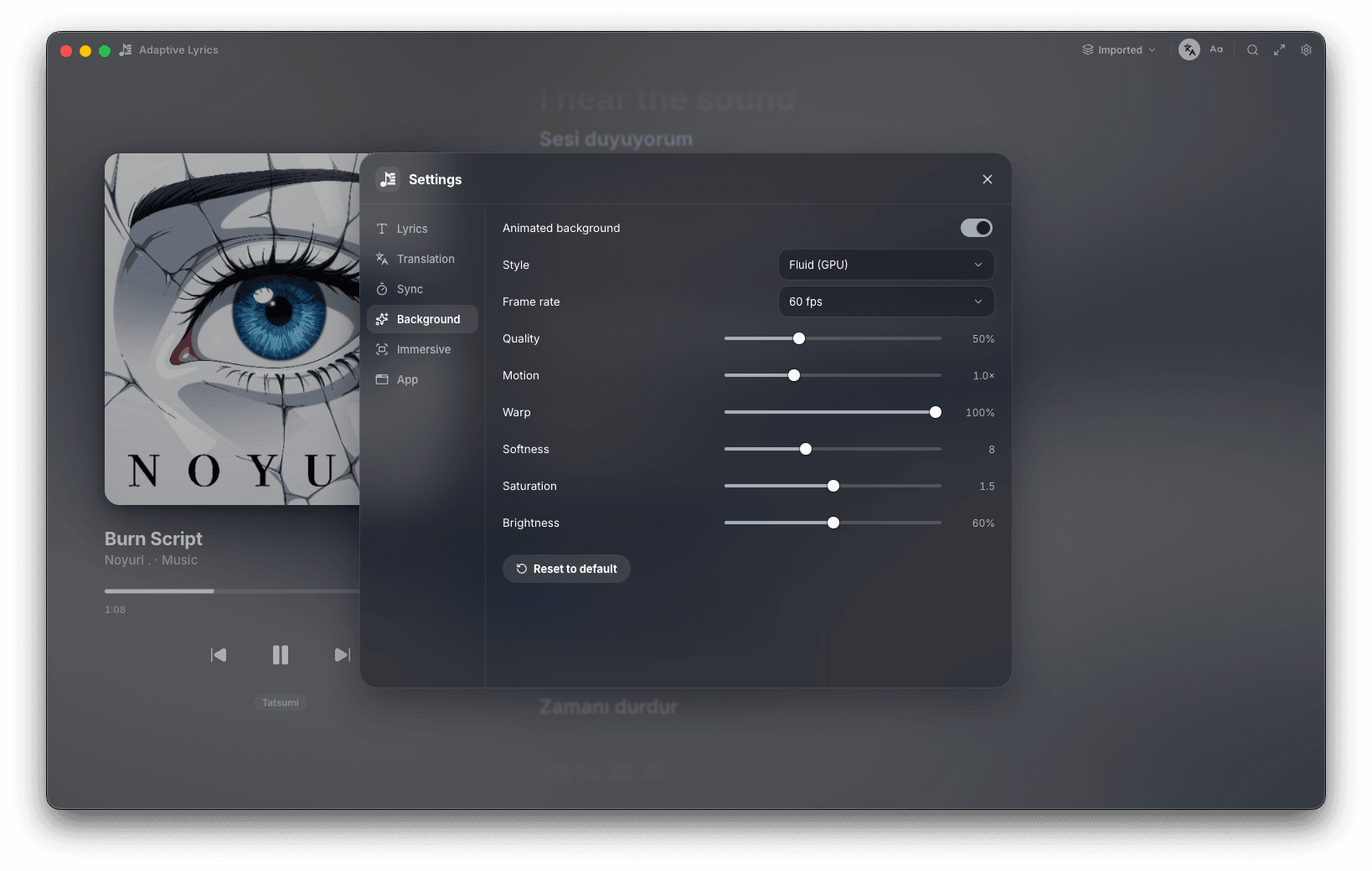
04 · Background
A background that follows the art.
A GPU fluid background drawn from the artwork, with frame rate, quality, motion, warp, softness, saturation and brightness.
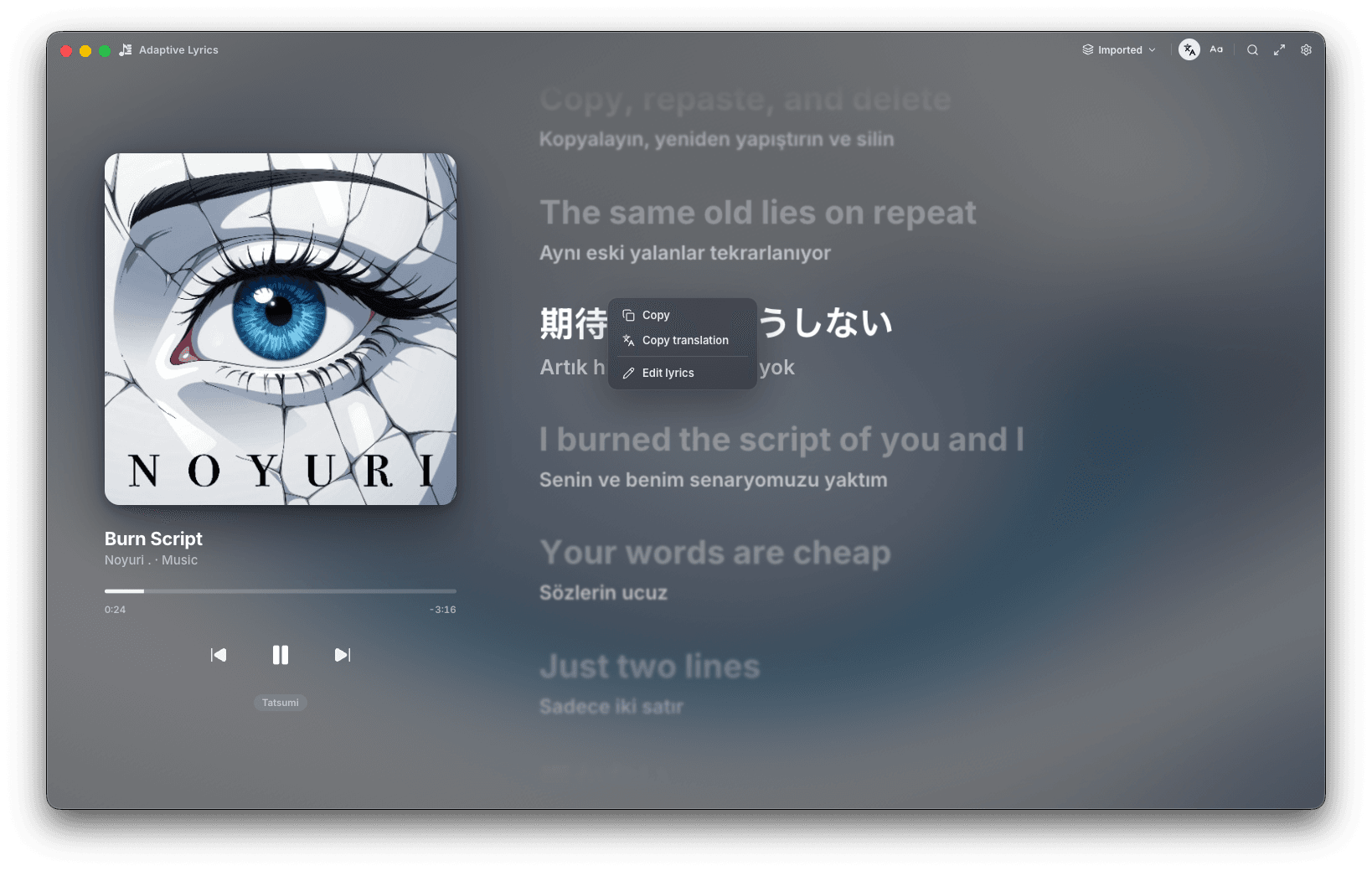
Right-click a line.
Copy the line, copy its translation, or open the editor and fix the lyrics yourself.
Then let it fill the screen.
Immersive mode drops the window, the artwork and the controls. One line, its translation, and a background that moves with the art.

Every player. Every line. Free.
Seven things Adaptive Lyrics does for whatever you're playing.
Every player
Follows whatever is playing on your desktop and shows which player it detected — no plugin per app.
Line-synced lyrics
The sung line lights up and the list follows the song; inactive lines can blur, sung words can wave.
Translation & romanization
A translated line under every lyric, plus romanization, in the language you choose.
Search every source
Search lyrics by title and artist across every source at once, then manage sources and cached lyrics.
Per-player sync
Offsets for the current song, for all players, and for each player on its own.
Immersive mode
One line at a time, full screen, over a fluid background drawn from the artwork.
Copy & edit
Right-click a line to copy it or its translation, or edit the lyrics by hand.
Adaptive Lyrics, on paper.
Where it runs, what it shows, and what you can change.
- Platforms
- macOS
- Windows
- Price
- Free
- Players
- Any player on the desktop · the detected player is shown under the transport
- Lyrics
- Line sync
- Blur inactive lines
- Letter wave
- Reduce motion
Theme, text size and alignment are adjustable.
- Translation
- Translation and romanization lines · target language selectable
Machine translations use Google Translate when a source doesn't include its own.
- Sync
- Current song
- All players
- Per player
- Sources
- Search every source
- Manage sources
- Cached lyrics
- Edit lyrics
- Background
- Fluid (GPU) · frame rate, quality, motion, warp, softness, saturation, brightness
Bring synced lyrics to every player you use.
Adaptive Lyrics is free for macOS and Windows.